- Vulnerable U
- Posts
- Pixel Perfect: Sold Extension Injects Code Through Pixel
Pixel Perfect: Sold Extension Injects Code Through Pixel

Matt Johansen
March 17, 2026

If you’re watching this video, or reading this, there’s a high likelihood you’re doing it in a browser that has extensions installed.
Extensions are special. They operate in a completely different permission model than normal websites. A website can only do what the browser allows it to do inside a pretty restricted sandbox.
Extensions don’t have that limitation. When you install an extension, it often asks for permissions that sound terrifying. Things like:
“This extension can read and change all your data on all websites.”
Most people click past that. Even if you do read it, a lot of legitimate extensions actually need those permissions to work. Password managers, RSS readers, ad blockers; these tools have to see and interact with every page you visit in order to do their job.
The tradeoff is that you’re trusting the developer of that extension not to abuse the extremely powerful access you’ve just granted them.
But what if that developer changes?
The “Secret Third Thing” That Can Happen
A lot of people think there are only two ways an extension turns malicious: Either the developer intentionally adds malware, or the developer gets hacked and someone slips malicious code into the project.
There’s actually a third scenario: The developer sells the extension.
There are marketplaces right now where browser extensions can be listed for sale. Developers build something useful, gather users, collect reviews, maybe even get featured by Google, and then decide they’re done maintaining it. So they sell it.
When someone buys that extension, they’re not just buying the code. They’re buying the users and the trust that comes with them.
A $50 Proof of Concept
John Tuckner at Annex Security demonstrated how trivial this can be. He bought a Chrome extension for about $50 that a friend of his had installed. The extension had normal permissions and a small but legitimate user base.
Once ownership transferred, John pushed an update, which added a rule redirecting traffic from a specific site to a Rickroll video. Totally harmless, obviously.
But it proved the point: if you control the extension, you control the browser behavior of everyone who installed it. The update rolled out automatically, just like any normal extension update would. His friend suddenly got Rickrolled through an extension that used to be trustworthy.
The Real-World Example: QuickLens
The proof of concept is funny. The real example, less so.
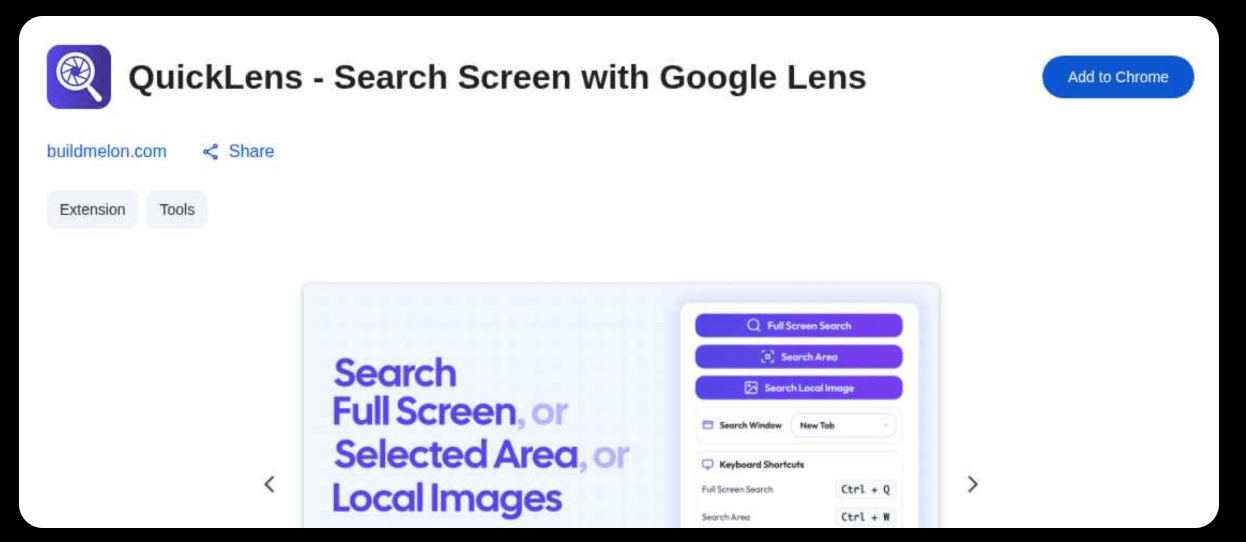
A Chrome extension called QuickLens, which acted as a wrapper around Google Lens functionality, had around 7,000 users and even had a featured badge from Google.
Worked exactly as advertised. Then the extension was sold.
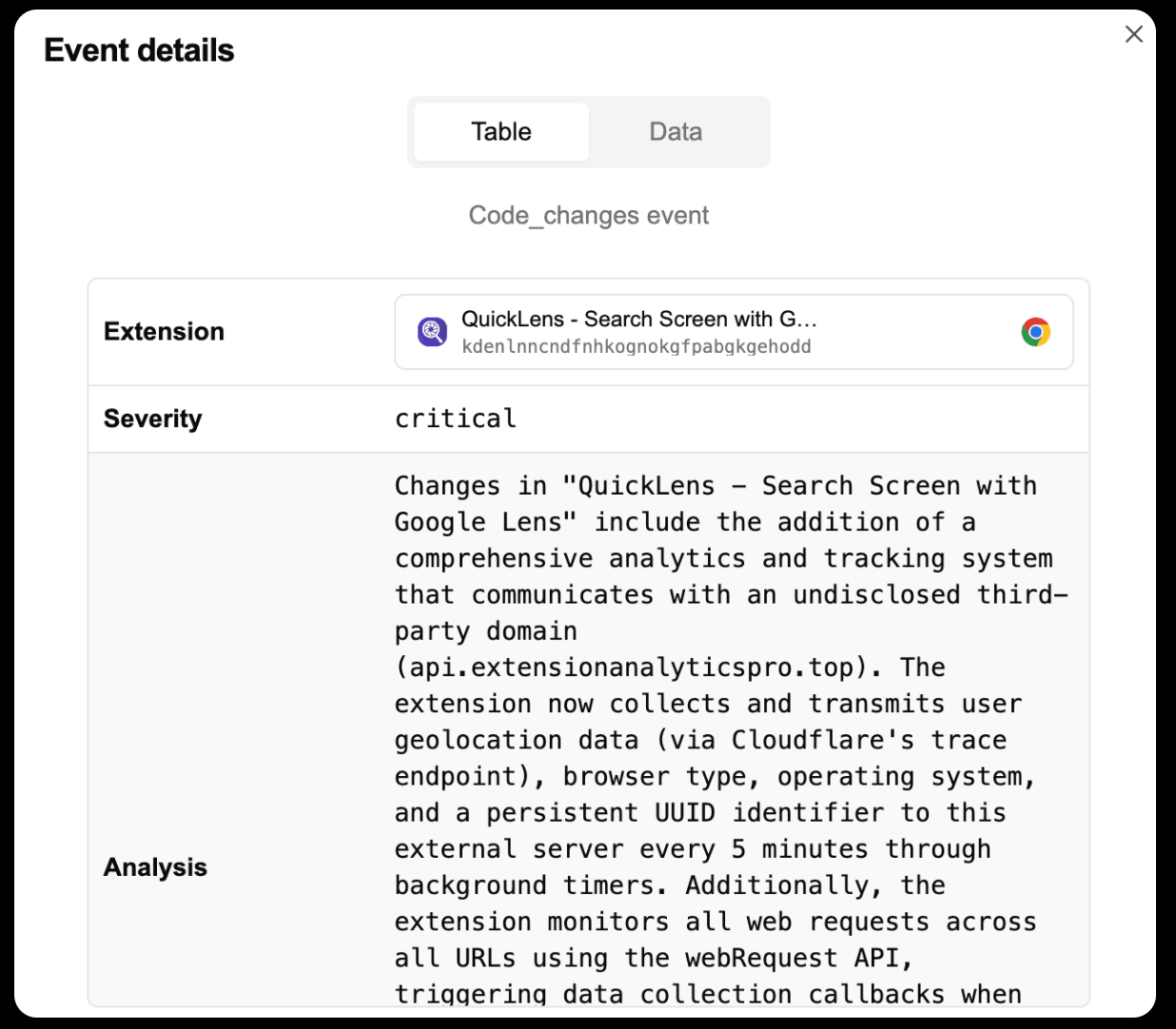
The new owner pushed an update that added a command-and-control server, new permissions, and code designed to weaken browser security protections. One of the more interesting techniques involved something called the pixel trick.
The Pixel-Perfect Attack
If you’ve ever worked in web security or AppSec, this part will feel familiar:
The extension injected an invisible 1×1 pixel image into pages that users visited. That image contained JavaScript triggered by the onload event. When the page loads, the code executes.
Normally, this kind of thing would be blocked by browser security features like Content Security Policy (CSP) or other security headers that websites send. But the extension update also included a rules file that stripped those protections out. Once those defenses were removed, the injected code could run freely.
Instead of hard-coding malicious behavior directly in the extension, which would make it easy to detect, the extension fetched instructions dynamically from its command-and-control server.
That means the malicious behavior could change anytime without another extension update. At that point, the attacker effectively had man-in-the-browser capability. They could rewrite pages, inject phishing forms, redirect traffic, capture keystrokes, or run arbitrary JavaScript on every site the user visited.
Why This Is So Hard to Defend Against
Even if you carefully review every extension before installing it, that doesn’t protect you from this scenario because extensions update automatically. Those updates can completely change what the extension does.
Even security teams that track extension permissions across their organization face the same problem. An extension can be safe today and malicious tomorrow without the user ever touching anything.
The supply chain didn’t get hacked. It just got sold.
The Takeaway
Browser extensions are one of the most powerful and least scrutinized parts of modern computing. They have access to nearly everything happening in your browser. They can modify pages, read data across tabs, and interact with every site you visit.
Most of the time, that power is used for legitimate purposes. But research like this shows how fragile that trust model can be.
The extension you installed last year isn’t necessarily owned by the same person today. When ownership changes, the permissions you granted don’t change with it.